Need a 4×6 passport photo sheet download for visa, job application, or government forms? You’re not alone. Millions of people search every month for ways to create and print passport photos at home without visiting a studio. The good news? In 2026, you can generate a 4×6 passport size photo print template online in just minutes.
With the right tool, you can create a perfectly aligned 4×6 photo sheet with multiple passport photos, ready for printing at home or a local photo lab. This guide will show you exactly how to do it, step by step — while keeping your photo compliant with international standards.
👉 Tool Link: https://fast2convert.com/passport-photo-maker/
🔥 Why 4×6 Passport Photo Sheet Is Trending in 2026
The demand for 4×6 passport photo sheet downloads has increased for several reasons:
- 📈 Rising online visa and passport applications
- 🏠 More people printing photos at home
- 💰 Saving money on photo studios
- 🌍 International travel growth
- 📑 Online job and government form submissions
Printing on a 4×6 photo paper sheet is affordable and widely supported by home printers and photo labs worldwide.
🖼 What Is a 4×6 Passport Photo Sheet?
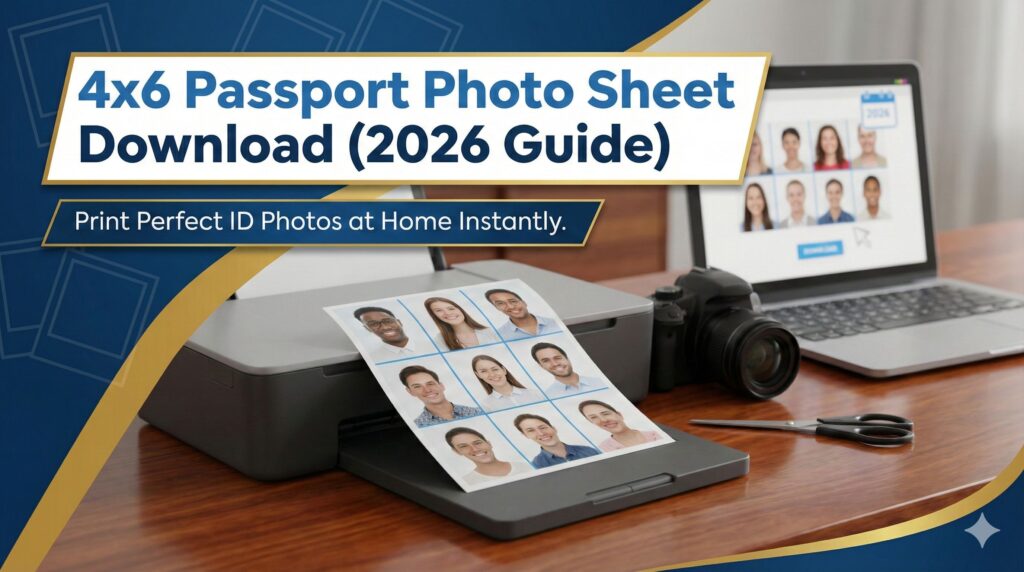
A 4×6 passport photo sheet is a printable layout that arranges multiple passport-size photos onto one 4×6-inch photo paper.
Instead of printing a single photo, the sheet includes:
- 2×2 inch passport photos (US standard)
- 35×45 mm photos (most international standards)
- Multiple identical copies on one sheet
- Proper spacing for cutting
This layout ensures you maximize photo paper usage while meeting official requirements.
🎯 Why Use a 4×6 Sheet Instead of Single Print?
Printing a single passport photo wastes paper. A 4×6 sheet gives you:
- ✔ Multiple copies in one print
- ✔ Lower cost per photo
- ✔ Better alignment and spacing
- ✔ Easy cutting margins
- ✔ Professional appearance
It’s the smart and budget-friendly method.
🚀 How to Download 4×6 Passport Photo Sheet (Step-by-Step)
Using an online passport photo tool makes the process extremely simple.
Step 1: Upload Your Photo
Visit the Passport Photo Maker tool and upload your clear front-facing image.
Step 2: Remove Background (If Needed)
Use automatic background removal to create a clean white background.
Step 3: Select Country & Size
Choose your required size:
- US: 2×2 inch
- India: 35×45 mm
- UK & Schengen: 35×45 mm
Step 4: Choose 4×6 Photo Paper Layout
Select the 4×6 passport photo sheet option.
Step 5: Download Printable File
Download your high-resolution printable PDF or image file.
Now your 4×6 passport photo sheet download is ready for printing.
🖨 How to Print 4×6 Passport Photo Sheet at Home
Printing correctly is just as important as creating the layout.
Recommended Settings:
- Paper Size: 4×6 inches
- Print Quality: High
- Paper Type: Photo Paper
- Scaling: 100% (No Fit to Page)
Always use glossy or matte photo paper for best results.
📐 Standard Passport Photo Sizes (Global Overview)
Different countries have different requirements.
| Country | Size | Background |
|---|---|---|
| USA | 2×2 inch | White |
| India | 35×45 mm | White |
| UK | 35×45 mm | Light Grey/White |
| Canada | 50×70 mm | White |
Make sure your selected size matches official guidelines.
💡 Benefits of Using an Online Passport Photo Maker
Using a modern online tool provides several advantages:
- No need for Photoshop
- No technical knowledge required
- Instant 4×6 sheet generation
- Automatic alignment
- Crop and resize accuracy
- High-resolution output
You can also explore related tools such as:
- Compress PDF (for document submission)
- Crop PDF (if trimming forms)
- Protect PDF (for secure application files)
Internal linking between tools improves workflow and saves time.
🧠 Common Mistakes to Avoid
When creating a 4×6 passport photo print template, avoid:
- ❌ Incorrect size selection
- ❌ Using colored or textured background
- ❌ Low-resolution image
- ❌ Shadows on face
- ❌ Printing with scaling enabled
- ❌ Poor cutting alignment
A small mistake can cause rejection of your application.
🌍 Who Should Use 4×6 Passport Photo Sheet Download?
This method is perfect for:
- Students applying for study abroad
- Job seekers submitting applications
- Travelers applying for visa
- Parents applying for child passport
- Government form applicants
- Freelancers working internationally
Anyone who needs official ID photos can benefit.
📲 Can I Create 4×6 Passport Photo Sheet on Mobile?
Yes. Modern tools work smoothly on:
- Android
- iPhone
- Tablets
- Laptops
- Desktop computers
You can upload, adjust, and download directly from your browser.
🔎 Why 4×6 Format Is Preferred Worldwide
The 4×6 format is popular because:
- Standard photo lab size
- Compatible with most printers
- Affordable paper cost
- Easy cutting grid layout
- High-resolution output
It ensures quality and convenience.
- passport photo sheet 4×6
- printable ID photo template
- passport photo maker online
- how to print passport photo at home
📝 Frequently Asked Questions (FAQs)
1. How many passport photos fit on a 4×6 sheet?
Typically 4 to 8 photos depending on size selection.
2. Can I print passport photos on normal paper?
Photo paper is recommended for official acceptance.
3. Is 4×6 passport photo sheet accepted everywhere?
Yes, as long as individual photos meet official size standards.
4. What resolution is required for printing?
At least 300 DPI for clear print quality.
5. Can I download 4×6 passport photo sheet in PDF?
Yes, high-quality PDF download is available.
6. Is online passport photo maker safe?
Yes, if the platform uses secure file handling.
7. Do I need editing software?
No, the tool automatically formats everything.
8. Can I use the same sheet for visa and passport?
Yes, if both require same size dimensions.
9. How do I cut photos accurately?
Use scissors or a paper cutter following spacing guides.
10. Does the tool work internationally?
Yes, it supports multiple country standards.
🎯 Pro Tips for Perfect Passport Photos
- Wear dark clothes for white background contrast
- Keep neutral facial expression
- Ensure proper lighting
- Avoid heavy filters or editing
- Maintain natural skin tone
Professional results depend on simple preparation.
📌 Final Thoughts
Creating a 4×6 passport photo sheet download in 2026 is easier than ever. With the right online tool, you can generate professional, compliant, high-resolution passport photos in minutes — without visiting a studio.
It saves time.
It saves money.
And it gives you full control.
🚀 Create & Download Your 4×6 Passport Photo Sheet Now
Don’t waste time or money at photo studios.
👉 Generate your 4×6 passport photo sheet instantly using our online Passport Photo Maker tool and print perfect ID photos from the comfort of your home.