Why File Conversion Matters Today
In today’s digital world, understanding What Is File Conversion & Why You Need It in 2026 — Explain basics and use cases has become very important. Every day, we work with different types of files like documents, images, videos, and spreadsheets. But not all files are supported on every device or platform.
This is where file conversion plays a key role. It helps you change a file from one format to another so that it becomes easy to use, share, and open anywhere. Whether you are a student, professional, or business owner, knowing how this process works can save you time and effort.
What Is File Conversion?
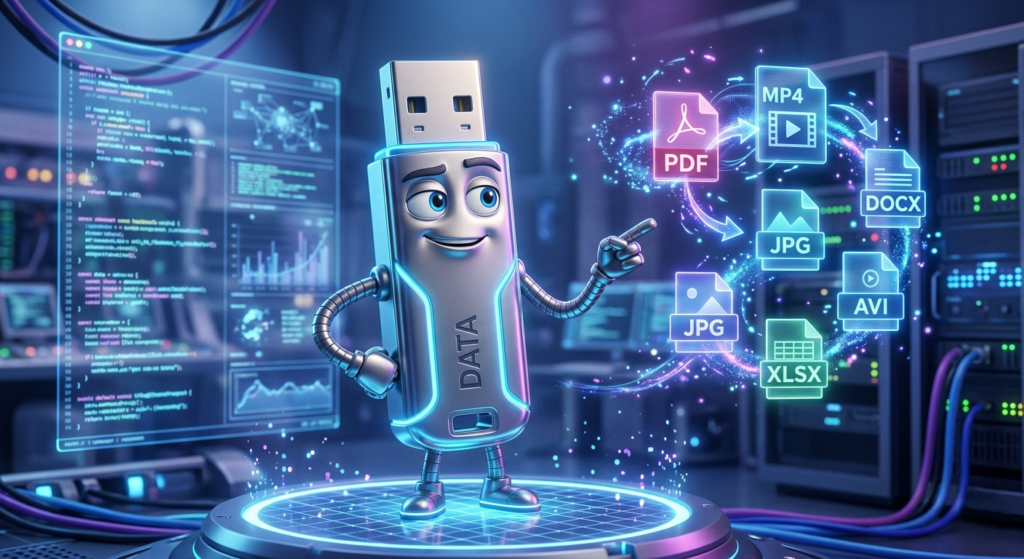
File conversion is the process of changing a file from one format into another format.
For example:
- Converting a Word file into PDF
- Changing an image from JPG to PNG
- Converting a video from MP4 to AVI
The main goal is to make files more compatible and accessible across different devices and applications.
In simple terms, file conversion helps you use your files in the way you need.
Why File Conversion Is Important in 2026
As technology continues to grow, the need for converting files is increasing rapidly. Let’s understand why it is important:
1. Better Compatibility
Not every device supports all file formats. Converting files ensures they work everywhere.
2. Easy File Sharing
Some formats are not supported in emails or apps. Converting them makes sharing smooth.
3. Professional Usage
PDF format is widely accepted for official documents like resumes, reports, and contracts.
4. Smaller File Size
Some conversions reduce file size, making uploads faster and saving storage.
How File Convert Works
The process of converting files is simple and quick:
- Upload your file
- Select the desired format
- Click on convert
- Download the new file
This process usually takes just a few seconds when using online tools.
Types of File Convert
Different types of files can be converted depending on your needs:
Document modification
- Word to PDF
- PDF to Word
- Excel to PDF
Image modification
- JPG to PNG
- PNG to WebP
Video modification
- MP4 to AVI
- MOV to MP4
Audio modification
- MP3 to WAV
- AAC to MP3
Common Use Cases of File Conversion
Understanding real-life use cases makes it easier to see why this process is useful.
For Students
Students often convert assignments into PDF format before submission.
For Office Work
Professionals convert reports and presentations into standard formats for sharing.
For Freelancers
Freelancers need to send files in formats requested by clients.
For Businesses
Businesses use file conversion to maintain consistency and improve workflow.
Benefits of File Convert
Here are some major benefits:
1. Saves Time
You don’t need to recreate files from scratch.
2. Improves Accessibility
Files can be opened on different devices without issues.
3. Enhances Sharing
Converted files are easier to send via email or apps.
4. Maintains Professional Format
Standard formats like PDF ensure consistency.
Online vs Offline File Convert
Online Tools
- Easy to use
- No installation required
- Accessible anywhere
Offline Software
- Works without internet
- More advanced features
Most users today prefer online tools due to convenience.
Best Practices for File Convert
To get the best results:
✔ Choose the right format
✔ Use trusted tools
✔ Check file quality after conversion
✔ Avoid unknown websites
Common Problems and Solutions
Formatting Issues
Sometimes layout may change after modification.
👉 Solution: Use high-quality tools
Quality Loss
Images or videos may lose quality.
👉 Solution: Select proper settings
Unsupported Formats
Some files may not convert properly.
👉 Solution: Use reliable converters
Future of File Conversion
In 2026, file modification is becoming smarter with:
- AI-based tools
- Faster processing
- Better quality output
This makes file handling easier than ever before.
Conclusion
Now you understand What Is File Conversion & Why You Need It in 2026 — Explain basics and use cases in a simple and practical way. File conversion helps make your files more flexible, accessible, and easy to share.
Whether you are working on personal tasks or professional projects, knowing how to convert files is an essential digital skill. It saves time, improves efficiency, and ensures your files work smoothly across different platforms.
👉 Start using file conversion tools today and make your digital work easier and more efficient.
❓ FAQs
1. What is file conversion?
File conversion means changing a file from one format to another, such as converting a Word document into a PDF file for better compatibility.
2. Why is file transformation important?
File transformation is important because it makes files compatible across different devices, easier to share, and more accessible for various uses.
3. How can I convert files online?
You can convert files online by uploading your file, selecting the desired output format, clicking the convert button, and then downloading the converted file.
4. Is file conversion free?
Yes, many online tools offer free file conversion services, although some may include optional premium features.
5. Does file conversion affect quality?
File conversion can sometimes affect quality, but reliable tools are designed to maintain high quality with minimal loss.