If you’re searching for the easiest way to Convert JPG to PDF Free, you’re in the right place. In 2026, converting images into PDFs has become faster, smarter, and more secure than ever before. Whether you’re a student, professional, or business owner, knowing how to manage your files efficiently is essential.
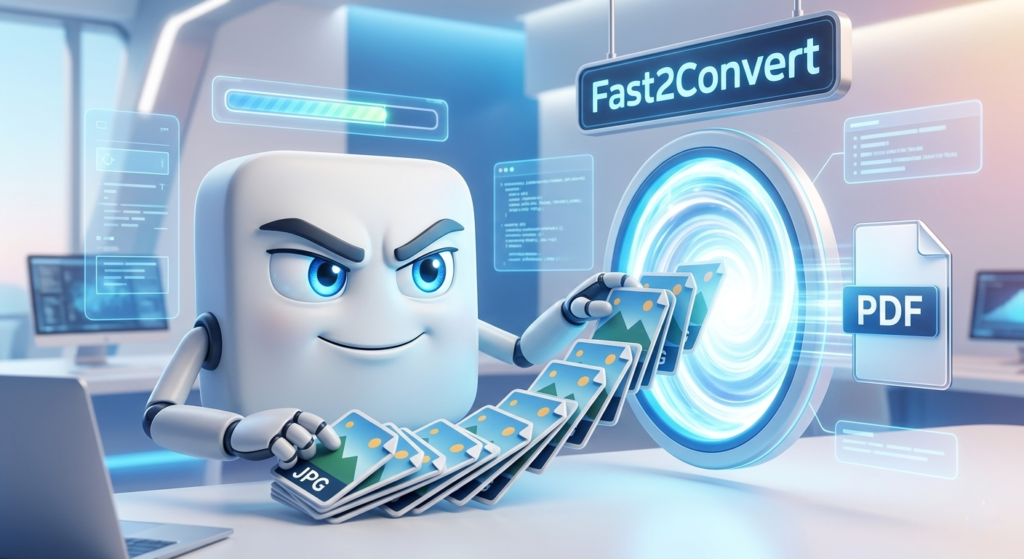
Today, we’ll walk you through 3 simple methods to Convert JPG to PDF Free using the powerful Fast2Convert platform and other reliable options. These methods are designed to be beginner-friendly, mobile-optimized, and perfect for quick tasks.
Why You Need to Convert JPG to PDF
Before we jump into the methods, let’s understand why people prefer PDF over JPG:
- PDFs are easier to share and print
- They maintain formatting across devices
- Multiple images can be combined into one file
- Better for official documents
That’s why many users prefer to Convert JPG to PDF Free instead of sending raw images.
Method 1: Convert JPG to PDF Free Using Fast2Convert
Fast2Convert is one of the easiest and fastest tools available today. It’s designed for simplicity and speed.
Steps to Use Fast2Convert
- Open the Fast2Convert website
- Upload your JPG image(s)
- Adjust settings (optional)
- Click “Convert”
- Download your PDF instantly
Why Choose Fast2Convert?
- No signup required
- Works on mobile and desktop
- Fast processing speed
- Secure file handling
- Supports bulk uploads
This is the most recommended way to Convert JPG to PDF Free without any hassle.
Method 2: Convert JPG to PDF Free Using Built-in Device Tools
Did you know your device already has tools to convert images?
On Windows
- Open the JPG file
- Press Ctrl + P
- Select “Save as PDF”
- Click Save
On Mobile (Android/iPhone)
- Open image in gallery
- Tap share or print
- Select “Save as PDF”
This method is great if you want to Convert JPG to PDF Free offline without using any website.
Method 3: Convert JPG to PDF Free Using Online Tools
There are many online tools available that help convert files quickly.
Steps
- Search for an online JPG to PDF converter
- Upload your image
- Click convert
- Download the PDF
While using online tools, always choose trusted platforms to Convert JPG to PDF Free safely.
Key Features to Look For
When choosing a tool, make sure it offers:
- Fast conversion speed
- No watermark
- Secure uploads
- Mobile compatibility
- Bulk conversion support
Fast2Convert checks all these boxes, making it ideal to Convert JPG to PDF Free efficiently.
Benefits of Using PDF Format
Here’s why PDFs are preferred:
- Professional appearance
- Easy to share via email
- Compatible with all devices
- Smaller file size (compressed)
This is why users frequently search for ways to Convert JPG to PDF Free online.
Common Use Cases
You can use JPG to PDF conversion for:
- School assignments
- Office documents
- ID proofs
- Receipts and invoices
- Photo collections
No matter your need, you can always Convert JPG to PDF Free in seconds.
Tips for Best Results
- Use high-quality JPG images
- Arrange images before uploading
- Check orientation (portrait/landscape)
- Compress files if needed
These small tips will help you Convert JPG to PDF Free with better output quality.
Is It Safe to Convert JPG to PDF Online?
Yes, if you use trusted tools like Fast2Convert. Always ensure:
- HTTPS secure website
- No data storage policy
- Automatic file deletion
This ensures your files remain safe while you Convert JPG to PDF Free online.
Mobile-Friendly Conversion
In 2026, most users convert files using smartphones. Fast2Convert is fully mobile optimized, making it easy to:
- Upload images
- Convert instantly
- Download PDFs
This makes it super convenient to Convert JPG to PDF Free anytime, anywhere.
Voice Search Optimization
Many users now search using voice commands like:
- “How to convert JPG to PDF free?”
- “Best free JPG to PDF converter online”
This guide is optimized to answer those queries and help you Convert JPG to PDF Free quickly.
Fast2Convert vs Other Tools
| Feature | Fast2Convert | Other Tools |
|---|---|---|
| Speed | Fast | Medium |
| Security | High | Varies |
| Ease of Use | Very Easy | Moderate |
| Ads | Minimal | Many |
| Signup | Not Required | Sometimes |
Clearly, Fast2Convert is a better choice to Convert JPG to PDF Free.
Conclusion
In today’s fast-paced digital world, managing files efficiently is no longer optional—it’s essential. Whether you’re handling school assignments, office documents, scanned receipts, or personal images, the need to Convert JPG to PDF Free has become more common than ever in 2026. The good news is that you don’t need technical skills, expensive software, or complicated tools to get the job done.
Throughout this guide, we explored three simple and effective methods that anyone can use. From using Fast2Convert for instant online conversion, to leveraging built-in device features, and even trying other trusted web tools, each method offers a reliable way to Convert JPG to PDF Free in just a few clicks. These solutions are designed to save time, improve productivity, and deliver high-quality results without any hassle.
One of the biggest advantages of converting JPG files into PDFs is the professionalism it brings. PDFs are universally accepted, easy to share, and maintain their formatting across all devices. Instead of sending multiple image files, you can combine everything into a single, well-organized document. That’s exactly why more users are choosing to Convert JPG to PDF Free for both personal and professional use.
Security is another important factor. With modern tools like Fast2Convert, your files are protected with secure processing and automatic deletion features. This ensures that you can Convert JPG to PDF Free without worrying about your data being stored or misused. Always remember to choose platforms that prioritize privacy and offer safe conversion environments.
Another key highlight is convenience. Whether you’re using a smartphone, tablet, or desktop, you can easily Convert JPG to PDF Free anytime and anywhere. Mobile-friendly tools and browser-based converters have made the process incredibly smooth, allowing users to complete tasks on the go. No downloads, no installations—just quick and efficient results.
If speed matters to you, online tools clearly stand out. With just a few seconds of processing time, you can upload your images, convert them, and download the final PDF instantly. This makes it perfect for urgent tasks where you need to Convert JPG to PDF Free without delays.
To get the best results, always follow simple best practices—use high-quality images, arrange them properly before conversion, and double-check orientation. These small steps can significantly improve the final output when you Convert JPG to PDF Free.
In conclusion, converting JPG files into PDFs has never been easier, faster, or more accessible. With the right tools and methods, anyone can achieve professional results in seconds. If you’re looking for a reliable, user-friendly, and secure solution, Fast2Convert is undoubtedly one of the best choices available today.
Start using these methods now and experience how simple it is to Convert JPG to PDF Free in 2026. 🚀
FAQs
1. How can I convert JPG to PDF for free in 2026?
You can use tools like Fast2Convert or built-in device features to convert JPG images into PDF files without any cost.
2. Is it safe to use online JPG to PDF converters?
Yes, as long as you use trusted platforms that offer secure uploads and automatic file deletion.
3. Can I convert multiple JPG files into one PDF?
Yes, most tools including Fast2Convert allow bulk uploads and combine images into a single PDF.
4. Do I need to install software to convert JPG to PDF?
No, many tools work directly in your browser without any installation.
5. Does converting JPG to PDF reduce quality?
Not significantly. Most tools maintain image quality during conversion.
6. Can I convert JPG to PDF on mobile?
Yes, you can easily convert files using mobile browsers or built-in features.
7. What is the fastest way to convert JPG to PDF?
Using an online tool like Fast2Convert is the quickest method.
8. Is there a file size limit?
Some tools may have limits, but many allow large file uploads.
9. Can I rearrange images before converting?
Yes, many tools allow you to reorder images before creating the PDF.
10. Why should I convert JPG to PDF instead of sharing images?
PDFs are more professional, easier to share, and maintain formatting across devices.