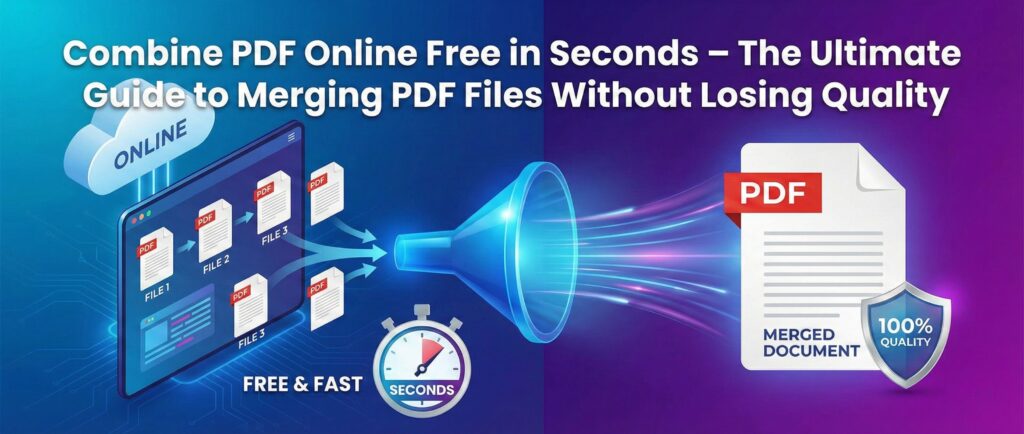
In today’s digital world, managing documents efficiently is more important than ever. Whether you’re a student submitting assignments, a business professional handling contracts, or a freelancer sending reports, the need to combine PDF online free has become a daily requirement.
Instead of downloading heavy software or struggling with complicated tools, you can now merge PDF files online free in just a few clicks. This guide will walk you through everything you need to know about combining PDFs online securely, quickly, and without compromising quality.
If you’re looking for a simple, fast, and secure solution, try the Fast2Convert PDF Merge Tool here:
👉 https://fast2convert.com/merge
Why Combining PDF Files Is More Important Than Ever
PDF remains the most trusted document format worldwide. From legal agreements to academic research papers, it ensures formatting consistency across devices.
But often, documents come in multiple separate files. That’s where merge PDF online tools become essential.
Common Situations Where You Need to Combine PDF Files
- Submitting multiple assignment pages as one file
- Merging scanned documents into a single PDF
- Combining invoices for accounting
- Sending project reports in one organized file
- Uploading documentation to government portals
Instead of sending 5–10 separate files, combining them into one professional document saves time and creates a better impression.
What Does “Combine PDF Online Free” Really Mean?
When users search for combine PDF online free, they usually want:
- No registration required
- No watermark
- No hidden fees
- Fast processing
- Secure file handling
- High-quality output
A good free PDF merger should deliver all of this without complications.
How to Combine PDF Files Online in 3 Simple Steps
Using Fast2Convert’s merge tool is incredibly simple. Here’s how it works:
Step 1: Upload Your PDF Files
Select multiple PDF files from your device.
Step 2: Arrange the Order
Drag and drop to arrange pages in the correct sequence.
Step 3: Click Merge & Download
Hit the merge button and download your combined PDF instantly.
That’s it. No sign-up. No technical skills required.
Key Benefits of Using an Online PDF Merger
1️⃣ Completely Free to Use
You can merge PDF files online free without spending a single rupee.
2️⃣ No Software Installation
No need to download bulky programs. Everything works in your browser.
3️⃣ Works on All Devices
As long as you have internet access, you can combine PDFs anywhere.
4️⃣ Secure & Private
Modern online PDF tools use encrypted processing and automatically delete files after processing.
5️⃣ Saves Time
Instead of emailing multiple files, you create one clean, professional document.
Combine PDF Online Without Losing Quality
One major concern users have is quality loss. Many tools compress files automatically, which can affect clarity.
A reliable PDF combiner tool ensures:
- No image resolution loss
- No text distortion
- Original formatting preserved
- No watermark added
When merging documents like contracts, resumes, or legal papers, maintaining quality is essential.
Combine PDF Online Free for Students
Students often need to:
- Submit assignments in one file
- Combine scanned handwritten pages
- Merge research papers
- Attach documents for scholarships
Instead of using complicated desktop software, students can quickly merge multiple PDFs into one directly in their browser.
It’s fast, simple, and exam-friendly.
Combine PDF Online Free for Business Professionals
Business users frequently merge:
- Contracts
- Invoices
- Client reports
- Project documentation
- Presentation materials
Sending one well-structured PDF instead of several scattered files increases professionalism and improves workflow efficiency.
Is It Safe to Merge PDF Files Online?
Security is one of the biggest concerns when using online tools.
Here’s what makes a secure PDF merge tool trustworthy:
- HTTPS encryption
- Temporary file storage
- Automatic file deletion
- No third-party sharing
- No registration required
Always ensure the website shows a secure connection before uploading sensitive documents.
Advanced Tips to Merge PDFs Like a Pro
Even though merging PDFs is simple, these tips help you get better results:
✔ Arrange Files Before Uploading
Keep file names clear so you can organize easily.
✔ Remove Unnecessary Pages
If you don’t need certain pages, edit before merging.
✔ Check File Size Limits
Some portals have upload size restrictions.
✔ Preview Before Download
Always review the combined file to ensure correct order.
Combine PDF Online Free vs Offline Software
| Feature | Online PDF Merge Tool | Offline Software |
|---|---|---|
| Installation Required | ❌ No | ✅ Yes |
| Works on Mobile | ✅ Yes | ❌ Limited |
| Free Access | ✅ Yes | ❌ Often Paid |
| Instant Use | ✅ Yes | ❌ Setup Needed |
| Updates Required | ❌ No | ✅ Yes |
For most users, online tools offer more convenience and flexibility.
Who Should Use a Free PDF Merger?
A free PDF merger is ideal for:
- Students
- Teachers
- Freelancers
- Small businesses
- Accountants
- HR professionals
- Government form applicants
If you handle digital documents regularly, this tool saves hours every week.
Internal Workflow Optimization Using PDF Tools
If you are already using other document tools on your website, integrating merging functionality enhances user experience.
For example, after compressing files, users can merge them into one final document. A smooth workflow increases engagement and SEO value.
If you manage multiple document tasks, combining services like:
- PDF compression
- PDF conversion
- PDF splitting
- PDF merging
creates a complete document toolkit ecosystem.
SEO Benefits of Creating Organized PDF Files
Did you know combining PDFs can also improve digital document performance?
When you:
- Submit one structured file
- Use clear naming conventions
- Keep file sizes optimized
It becomes easier for systems to process uploads efficiently.
For website owners offering tools like combine PDF online free, optimizing page speed, schema markup, and user experience helps rank higher on search engines.
Why Fast2Convert PDF Merge Tool Is a Smart Choice
Here’s what makes it stand out:
- 100% free access
- No login required
- Fast processing speed
- Clean, simple interface
- No watermark
- High-quality output
- Works on mobile & desktop
It’s designed for real users who want quick results without complications.
Try it here:
👉 https://fast2convert.com/merge
Frequently Asked Questions (FAQ)
1. Can I combine PDF online free without signing up?
Yes, you can merge PDFs without creating an account.
2. Will the merged file lose quality?
No. A reliable PDF merger preserves formatting and clarity.
3. Is it safe to upload sensitive documents?
Yes, if the website uses secure encrypted connections.
4. Can I merge more than two PDFs?
Yes, you can merge multiple PDFs into one document.
5. Does it work on mobile devices?
Yes, most modern online PDF tools are fully responsive.
Final Thoughts: Simplify Your Digital Workflow Today
The ability to combine PDF online free has become essential in 2026’s digital-first environment. Whether you’re managing academic assignments, business contracts, or personal documents, merging PDFs online saves time, effort, and storage space.
There’s no need for expensive software or complicated steps. With a reliable online PDF merger, you can organize your documents professionally in just seconds.
🔥 Ready to Merge Your PDFs Instantly?
Stop wasting time with scattered files.
👉 Click here to combine PDF online free now:
https://fast2convert.com/merge
Merge your PDFs in seconds. No sign-up. No watermark. Just fast, secure results.
Start now and simplify your document management today.
Frequently Asked Questions (FAQ)
1. How can I combine PDF files online for free without installing software?
You can combine PDF files online for free by using a web-based PDF merger tool like fast2convert. Simply upload the PDF documents you want to merge, arrange them in the correct order, and click the combine button. Within seconds, the tool will merge multiple PDF files into one document without requiring any software installation or account signup.
2. Can I merge multiple PDF files into a single document without losing quality?
Yes, a good online PDF merger allows you to merge multiple PDF files into one document without losing quality. The original layout, images, fonts, and formatting remain unchanged, ensuring that the merged file looks exactly like the original documents.
3. Is it safe to combine PDF files online?
Most reliable tools process documents securely and automatically delete uploaded files after processing. When you combine PDF files online using a secure platform, your documents remain private and are not stored permanently on the server.
4. What is the best free tool to merge PDF files online?
The best free PDF merger tool should allow you to combine PDF files online quickly, maintain document quality, and not add watermarks. Tools like fast2convert offer a simple interface that helps users merge multiple PDF documents instantly without login or software download.
5. Can I combine PDF files on my mobile phone?
Yes, you can merge PDF files online using a smartphone, tablet, or desktop computer. Modern PDF merge tools are fully responsive and work directly in your web browser, allowing you to combine PDF documents anytime from any device.
6. How do I merge scanned PDF documents into one file?
If you have scanned pages saved as separate PDF files, you can upload them to a PDF merge tool and combine them into a single document. This process is commonly used for submitting assignments, job applications, reports, or official forms.
7. Does merging PDF files increase the file size?
In most cases, merging PDFs simply combines the files together without significantly increasing the size. However, if the original documents contain large images or scanned pages, the final PDF size may depend on the combined content.
8. Do I need to create an account to combine PDF files online?
Many online PDF tools allow you to merge PDF files without creating an account. You can upload documents, combine them instantly, and download the merged PDF without signup or login requirements.
9. Can I rearrange PDF pages before combining them?
Yes, most modern PDF merge tools allow you to rearrange the order of uploaded files or pages before merging. This ensures the final PDF document appears exactly in the sequence you want.
10. Why should I combine multiple PDF files into one document?
Combining multiple PDF files into a single document helps organize information, makes sharing easier, and reduces the number of files you need to manage. It is especially useful for sending documents via email, submitting applications, or creating professional reports.