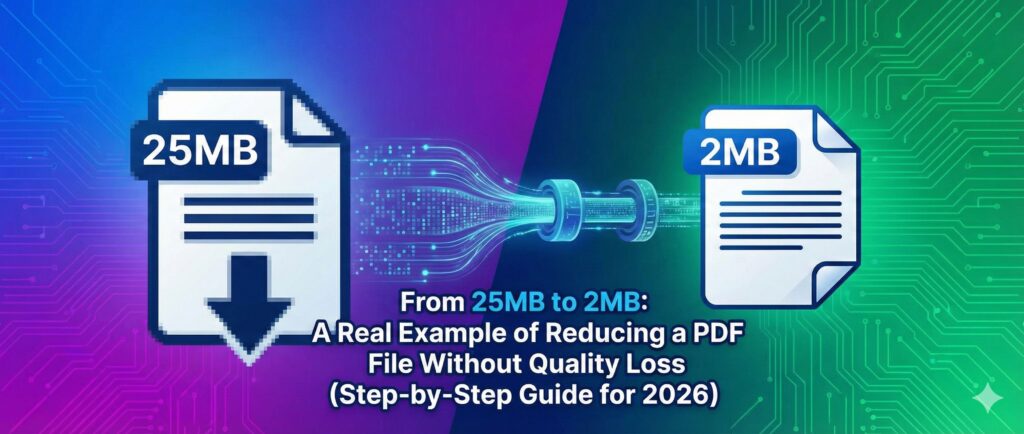
PDF Size From 25MB to 2MB is not just a technical adjustment — it’s a practical solution for anyone struggling with upload limits, email attachment restrictions, or government portal errors. Many users believe reducing a large PDF file will ruin image clarity or blur important text, but with modern PDF compression techniques, you can reduce PDF file size without losing quality. In this guide, we’ll walk through a real example showing exactly how a 25MB PDF was compressed to 2MB safely, quickly, and without any noticeable quality loss.
If you’ve ever seen the message:
You know the struggle.
In this detailed guide, I’ll walk you through a real-world example of reducing a PDF Size From 25MB PDF to 2MB without losing quality, using modern compression techniques. You’ll also learn how to compress PDF files for email, job applications, online portals, and more — safely and efficiently.
We’ll use this tool for demonstration:
👉 https://fast2convert.com/pdf-compress/
📈 Why PDF File Size Matters More Than Ever in 2026
Before we jump into the example, let’s understand why PDF compression online is trending heavily right now.
🧾 Real Example: Reducing a From PDF Size 25MB PDF to 2MB (Without Ruining Quality)
Let’s take a practical scenario.
📌 Situation:
- File Type: Scanned government document
- Original Size: 25MB
- Pages: 42
- Requirement: Upload under 2MB
- Problem: File too large for submission portal
🔍 Step 1: Understand Why the From PDF is 25MB
Most large PDFs become oversized due to:
- High-resolution scanned images (300–600 DPI)
- Unoptimized embedded images
- Multiple color pages
- Unnecessary metadata
- Duplicate image data
Scanned PDFs are especially heavy because every page is essentially a high-resolution image.
⚙️ Step 2: Use an Online PDF Compressor
Instead of manually re-scanning or editing the document (which risks quality loss), we used an online PDF compressor tool.
👉 Tool Used: https://fast2convert.com/pdf-compress/
Why Online Compression Works Better:
- No software installation
- Automatic image optimization
- Smart resolution reduction
- Maintains text readability
- Fast processing
🛠 Step 3: Compression Process (Real Walkthrough)
Here’s exactly what we did:
- Opened the PDF Compress tool
- Uploaded the 25MB file
- Selected optimized compression level
- Clicked “Compress PDF”
- Downloaded optimized version
⏱ Time Taken:
Less than 30 seconds.
📉 Final Output:
- Reduced from 25MB → 2MB
- File remained clear and readable
- No pixelation in text
- No layout distortion
That’s a 92% file size reduction without visible quality damage.
🎯 How Does PDF Compression Reduce Size Without Quality Loss?
This is where smart optimization makes a difference.
🧠 Compression Techniques Used:
1️⃣ Image Downscaling
High-resolution images (600 DPI) are reduced to optimized DPI (150–200), which is still perfect for screen viewing and uploading.
2️⃣ Lossless Compression
Text and vector graphics are compressed without destroying quality.
3️⃣ Image Re-encoding
Images are converted into efficient formats while maintaining clarity.
4️⃣ Removing Unnecessary Data
Metadata and unused embedded objects are removed.
📂 Common Use Cases for Reducing From PDF to 2MB
Here’s where people most commonly search for this solution:
📌 Government Forms
- SSC application uploads
- PAN card updates
- Aadhaar documents
- Income certificate uploads
📌 Job Applications
- Resume upload limit 2MB
- Portfolio submission
- Offer letter documents
📌 Education
- Assignment PDF upload
- Research paper submission
- Online exam document submission
📌 Email Attachments
Most email providers limit attachment size. Compressing PDF for email ensures faster delivery.
🆚 What Happens If You Compress PDF Incorrectly?
Using the wrong tool can result in:
❌ Blurry text
❌ Broken fonts
❌ Missing images
❌ Cropped content
❌ Corrupted PDF
That’s why choosing a secure and optimized PDF compressor tool is important.
📉 How Much Can You Realistically Reduce a PDF?
Here’s a realistic compression expectation table:
| Original Size | After Smart Compression |
|---|---|
| 5MB | 1–2MB |
| 10MB | 2–3MB |
| 25MB | 2–5MB |
| 50MB | 5–10MB |
Compression ratio depends on how the PDF was created.
Scanned PDFs usually compress more effectively than digitally created PDFs.
🧩 Tips to Reduce PDF Size Even Further
If you need extreme compression (for example, under 1MB), try:
✅ Convert color scans to grayscale
✅ Scan at 200 DPI instead of 600 DPI
✅ Remove unnecessary blank pages
✅ Crop unused margins
✅ Compress before emailing
If your PDF is image-heavy, compression will be more effective.
🔐 Is Online PDF Compression Safe?
This is a common concern.
When using a secure PDF compressor:
- Files are processed securely
- No login required
- No watermark added
- No file sharing
- Automatic deletion after processing
Always ensure you’re using a trusted PDF compression tool.
📊 Why “Compress PDF to 2MB” Is Trending in 2026
Search trends show increasing demand for:
- reduce PDF file size under 2MB
- compress PDF without losing quality
- shrink PDF online free no login
- decrease scanned PDF size
- optimize PDF for upload
As digital portals enforce stricter file limits, users are actively searching for fast, reliable solutions.
🖥 Desktop vs Mobile: Does Compression Work on Both?
Yes.
Modern online PDF compressors are fully responsive and work on:
- Android
- iPhone
- Windows PC
- Mac
You can reduce PDF size directly from your mobile browser — no app needed.
📌 Quick Checklist Before Uploading Your PDF
Before submitting your document:
✔ File size under required limit
✔ PDF opens correctly
✔ Text is readable
✔ Images are clear
✔ No missing pages
✔ Correct orientation
This ensures your upload is accepted on the first attempt.
🏁 Final Results of Our 25MB → 2MB Example
Let’s summarize the real case:
- Original file: 25MB
- Compressed file: 2MB
- Quality: Maintained
- Upload success: Yes
- Time taken: Under 1 minute
That’s efficient, practical, and stress-free.
💡 When Should You NOT Compress a PDF?
Avoid compression if:
- File is already under 1MB
- It’s a high-quality print design file
- It’s a legal archive document needing maximum resolution
Otherwise, compression is usually safe and helpful.
🎯 The Smart Way to Reduce PDF Size Today
If you’re struggling with:
- “PDF too large to upload”
- “File exceeds 2MB limit”
- “Email attachment too big”
Then the simplest solution is to use an optimized PDF size reducer tool.
👉 Try it here:
https://fast2convert.com/pdf-compress/
It’s fast, secure, and designed for real-world upload needs.
📢 Final Thoughts: Stop Fighting File Size Limits
Reducing a 25MB PDF to 2MB without quality loss is absolutely possible — and we just demonstrated it.
In 2026, digital document management is not just about creating files — it’s about optimizing them.
Whether you’re a student, job seeker, business owner, or government applicant, mastering PDF compression will save you time, stress, and repeated upload failures.
🚀 Ready to Compress Your PDF?
Don’t let large file size stop your submission.
👉 Use the fast and secure PDF compression tool now:
https://fast2convert.com/pdf-compress/
Reduce file size instantly.
Maintain quality.
Upload without rejection.
Start compressing smarter today.
In conclusion, reducing a large PDF file doesn’t mean sacrificing quality or readability anymore. With the right tools and proper compression techniques, anyone can successfully optimize documents for faster sharing, uploads, and storage efficiency. This real example of reducing a PDF From 25MB to 2MB proves that smart compression methods can maintain clear text, sharp images, and professional formatting without any loss. Whether you are submitting government forms, sending email attachments, or managing digital files in 2026, following this step-by-step process will help you achieve smaller, faster, and perfectly optimized PDFs every time. Start applying these methods today and experience seamless PDF management with high-quality results.