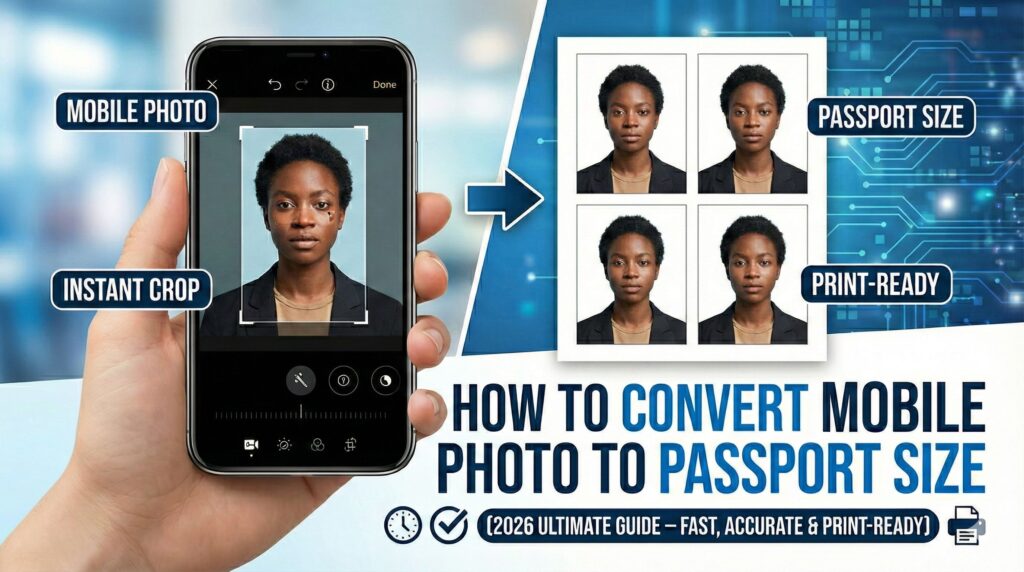
Need to convert mobile photo to passport size for a visa, job application, or government form? You’re not alone. In 2026, more people than ever are using their smartphones to take official ID photos at home. The good news? You don’t need a studio, expensive software, or editing skills to create a professional passport size photo from mobile.
With the right online tool, you can resize, crop, adjust background, and download a print-ready template in minutes.
👉 Create your passport photo here:
https://fast2convert.com/passport-photo-maker/
This complete guide will walk you through everything — from taking the perfect photo on your phone to downloading a printable passport size format that meets official requirements.
🔥 Why “Convert Mobile Photo to Passport Size” Is Trending in 2026
Searches for:
- convert mobile photo to passport size
- passport size photo maker online
- resize photo to 2×2 inches
- passport photo from phone
- passport photo background remover
have grown significantly.
Why?
- 📲 High-quality smartphone cameras
- 🌍 More online applications
- 🏠 Remote work & study abroad growth
- 💰 Saving money on photo studios
- ⚡ Instant digital uploads required
People want fast, affordable, and accurate solutions — directly from their phone.
📸 Can You Really Use a Mobile Photo for Passport?
Yes — absolutely.
Modern smartphones capture high-resolution images that meet passport standards if taken correctly. The key is:
- Correct dimensions
- Proper background
- Accurate cropping
- Official size formatting
- High resolution (300 DPI for print)
Without resizing properly, your application can be rejected. That’s why converting the image to the exact passport size is essential.
📏 Standard Passport Photo Sizes (Global Overview)
Before resizing, you must know your required dimensions.
| Country | Passport Photo Size |
|---|---|
| USA | 2×2 inches (51×51 mm) |
| India | 35×45 mm |
| UK | 35×45 mm |
| Canada | 50×70 mm |
| Schengen Visa | 35×45 mm |
Selecting the wrong size is one of the most common reasons applications get delayed.
🚀 Step-by-Step: How to Convert Mobile Photo to Passport Size
Let’s break it down into simple steps.
Step 1: Take the Right Photo on Your Mobile
Before editing, ensure:
- Neutral facial expression
- Direct front-facing position
- Eyes open and visible
- No shadows on face
- Plain white or light background
- Good natural lighting
Avoid:
- Selfies with tilted angle
- Filters
- Heavy editing
- Dark or patterned backgrounds
A clean original photo makes resizing easier.
Step 2: Upload Photo to Passport Photo Maker Tool
Visit:
👉 https://fast2convert.com/passport-photo-maker/
Upload your mobile image directly from your device.
The tool works on:
- Android
- iPhone
- Tablet
- Desktop
No app download required.
Step 3: Remove Background (If Needed)
If your background isn’t perfectly white, use automatic background removal.
This ensures:
- Official compliance
- Clean, professional look
- No rejection due to shadows
Step 4: Select Country & Required Size
Choose the correct passport size format:
- 2×2 inch photo
- 35×45 mm passport size
- Visa photo format
- Custom dimension if needed
The tool automatically resizes and aligns your image according to official standards.
Step 5: Adjust Face Position & Crop
Proper alignment matters.
Your photo should:
- Show full head
- Have correct head-to-chin ratio
- Include slight shoulder visibility
- Maintain balanced margins
The tool guides you visually for perfect cropping.
Step 6: Download Print-Ready Passport Size Photo
You can download:
- Single passport photo
- 4×6 passport photo sheet
- High-resolution printable PDF
Now your mobile photo is converted to passport size and ready for printing or digital upload.
🖨 How to Print Passport Photo from Mobile
To print correctly:
- Use 4×6 photo paper
- Select 100% scale (no fit-to-page)
- Set high-quality print mode
- Ensure 300 DPI resolution
Printing multiple copies on one sheet saves money and ensures consistency.
🎯 Benefits of Converting Mobile Photo to Passport Size Online
Using an online passport photo maker gives you:
- ✔ Instant results
- ✔ No Photoshop required
- ✔ Official size accuracy
- ✔ Automatic background removal
- ✔ Mobile-friendly editing
- ✔ Print-ready layout
- ✔ Cost savings
You stay in full control of your photo.
🌍 Who Needs This Solution?
This method is perfect for:
🎓 Students
Applying for study abroad, university admissions, or ID cards.
💼 Job Seekers
Submitting resumes with photo requirements.
✈ Travelers
Visa, passport renewal, immigration forms.
🧑💻 Freelancers & Remote Workers
International documentation needs.
Anyone who submits official documents online can benefit.
⚠ Common Mistakes to Avoid
When converting a mobile photo to passport size, avoid:
- ❌ Incorrect dimensions
- ❌ Low-resolution upload
- ❌ Head too small or too large
- ❌ Colored background
- ❌ Overexposed lighting
- ❌ Cropping too tightly
Even small mistakes can cause rejection.
🧠 Pro Tips for Perfect Passport Photo Using Mobile
Here are expert-level tips:
- Stand 1 meter away from camera
- Use rear camera (better quality)
- Avoid flash glare
- Remove glasses if reflection visible
- Tie back hair if covering face
- Wear dark clothing for white background contrast
Simple preparation leads to professional results.
📊 Digital vs Studio Passport Photo
| Feature | Mobile + Online Tool | Studio Visit |
|---|---|---|
| Cost | Low | Higher |
| Time | 5-10 minutes | Travel + waiting |
| Editing Control | Full | Limited |
| Instant Download | Yes | Usually printed only |
| Convenience | High | Medium |
For most people, mobile conversion is faster and more affordable.
❓ Frequently Asked Questions
1. Can I convert a selfie into passport size?
Yes, if taken properly with correct lighting and alignment.
2. What resolution is required?
At least 300 DPI for print-quality passport photos.
3. Can I use mobile photo for visa application?
Yes, if resized and formatted according to official guidelines.
4. Is online passport photo maker safe?
Yes, secure tools process files safely.
5. How do I resize photo to 2×2 inches?
Upload your image and select the 2×2 option in the passport photo tool.
6. Can I create passport photo on iPhone?
Yes, directly from Safari or browser.
7. Do I need Photoshop?
No. The tool automatically handles resizing and alignment.
8. Can I print passport photo at home?
Yes, use 4×6 photo paper and correct printer settings.
📌 Final Thoughts
Converting a mobile photo to passport size in 2026 is easier than ever. With high-resolution smartphone cameras and smart online tools, you can create professional, compliant passport photos in minutes — without stepping outside.
It’s simple.
It’s affordable.
And it gives you full control.
🚀 Create Your Passport Size Photo Now
Stop worrying about studio appointments or complicated editing software.
👉 Upload your mobile photo and convert it to passport size instantly using our Passport Photo Maker tool.
Get accurate dimensions, clean background, and print-ready format in just minutes.
Start now and create your perfect passport photo today. 📸