In today’s digital world, sharing documents is easy. Protecting them? Not always.
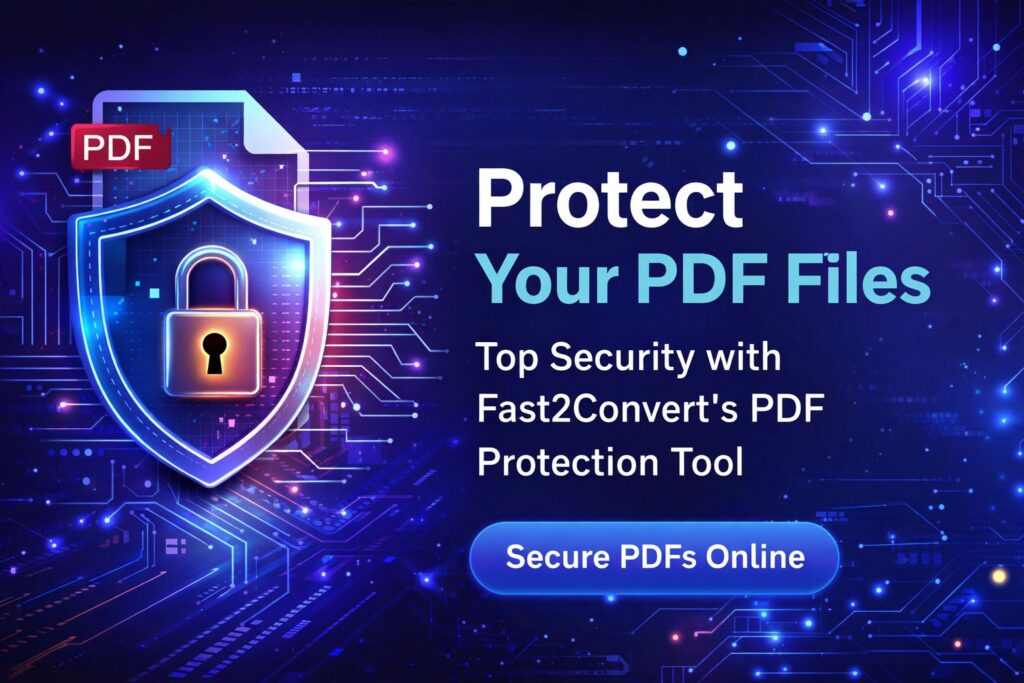
Whether you’re sending a business contract, sharing exam papers, submitting financial records, or emailing personal ID documents, one thing is clear: PDF security matters more than ever.
If you’ve ever searched for “Protect PDF Online Free” or “Add password to PDF online”, you already know people are actively looking for safe, fast, and simple solutions.
In this complete guide, you’ll learn:
- Why PDF protection is important
- How to protect PDF online free
- How password protection works
- What features to look for in a PDF protection tool
- Why Fast2Convert is a smart choice
- Trending search keywords and real-world use cases
Let’s secure your documents the right way.
🔐 Why You Must Protect PDF Files in 2026
Many people think PDF files are automatically safe. They are not.
A normal PDF file can be:
- Opened by anyone
- Edited without permission
- Copied and pasted
- Printed and shared
- Forwarded without control
If your file contains:
- Bank details
- Legal agreements
- Personal identity documents
- Business strategies
- Client data
Then leaving it unprotected is risky.
That’s why millions of users search every month for:
- Protect PDF online free
- Password protect PDF
- Secure PDF file
- Lock PDF file
- Encrypt PDF online
- Add password to PDF
PDF password protection is no longer optional. It’s essential.
📌 What Does “Protect PDF Online Free” Actually Mean?
When you protect PDF online free, you:
✔ Add a password to PDF
✔ Encrypt PDF file
✔ Restrict editing
✔ Prevent copying
✔ Disable printing
✔ Lock PDF from unauthorized access
And the best part?
You don’t need software installation.
You can protect PDF online instantly using a browser.
🔎 How PDF Password Protection Works
Let’s keep it simple.
When you add a password to PDF, the tool:
- Encrypts the file using security standards.
- Requires a password to open the file.
- Optionally restricts editing and printing.
- Prevents unauthorized changes.
This process is called PDF encryption.
There are usually two types of passwords:
1️⃣ Open Password
Users must enter this password to open the PDF.
2️⃣ Permission Password
Restricts:
- Editing
- Printing
- Copying
- Filling forms
When you search for “encrypt PDF online” or “lock PDF file online”, this is what the tool is doing behind the scenes.
🚀 How to Protect PDF Online Free (Step-by-Step Guide)
Here’s how simple it really is:
Step 1: Upload Your PDF
Choose your file from your device.
Step 2: Enter a Strong Password
Create a secure password with:
- Uppercase letters
- Lowercase letters
- Numbers
- Symbols
Example format:
Secure@2026PDF! (Don’t use this exact one)
Step 3: Choose Restrictions
Disable:
- Printing
- Editing
- Copying
Step 4: Click Protect PDF
Within seconds, your file becomes encrypted.
Step 5: Download Secure PDF File
Your protected PDF is ready to share safely.
That’s how you add password to PDF online free instantly.
💡 Trending Search Keywords People Use
To help you understand user intent, here are trending search terms in 2026:
- Protect PDF online free
- Password protect PDF online
- Add password to PDF free
- Encrypt PDF online
- Lock PDF file online
- Secure PDF document
- PDF security tool
- Prevent PDF editing
- Protect PDF without software
- Free PDF password protection tool
This blog is optimized around these focus keywords to match what real users are searching for.
🛡 Why You Should Protect PDF Files Before Sharing
Let’s look at real-life examples.
📄 Business Contracts
Without PDF password protection, someone can:
- Edit payment terms
- Modify clauses
- Print and misuse the agreement
🎓 Educational Documents
Schools and institutes share:
- Exam papers
- Certificates
- Results
If not protected, files can be leaked.
💼 Freelancers & Agencies
Invoices and proposals contain:
- Pricing structure
- Client data
Protect PDF online free before sending them.
🏦 Financial Records
Bank statements and tax documents should always be encrypted.
🔥 Benefits of Using an Online PDF Protection Tool
Why do users prefer protecting PDF online instead of offline software?
✅ No Installation Required
Works directly in browser.
✅ Fast & Instant
Protect PDF in seconds.
✅ Free to Use
No hidden charges.
✅ Accessible Anywhere
Mobile, desktop, tablet.
✅ Secure Processing
Files are encrypted and processed safely.
🧠 How to Create a Strong PDF Password
Weak passwords defeat the purpose of protecting PDF files.
Follow these rules:
✔ Minimum 12 characters
✔ Mix of uppercase & lowercase
✔ Include numbers
✔ Add symbols
✔ Avoid names or birthdays
Strong Example Pattern:
X9#SecureFile2026!
Never reuse your email password for PDF protection.
⚠ Common Mistakes While Protecting PDF
Avoid these mistakes:
❌ Using simple passwords like 1234
❌ Sharing password in same email
❌ Forgetting the password
❌ Not restricting editing
❌ Protecting after sharing
Always protect PDF file before sending it.
🌍 Why Online PDF Security Is Trending in 2026
Data breaches are increasing globally.
Remote work, online education, digital contracts — everything is online now.
That’s why people search:
- Secure PDF online free
- Protect PDF without software
- Free PDF encryption tool
The demand for fast and secure PDF protection tools is growing every year.
🏆 Why Choose Fast2Convert to Protect PDF Online Free?
When selecting a PDF protection tool, you should look for:
✔ Fast processing
✔ No watermark
✔ Free usage
✔ Strong encryption
✔ Simple interface
✔ Mobile friendly
✔ No registration required
Fast2Convert offers an easy way to:
- Add password to PDF
- Encrypt PDF online
- Lock PDF file
- Prevent PDF editing
- Secure PDF instantly
It is designed for beginners and professionals alike.
You don’t need technical knowledge.
Just upload → protect → download.
🔐 Protect PDF vs Encrypt PDF – Is There a Difference?
Many users search both terms.
- Protect PDF = Add password + restrictions
- Encrypt PDF = Apply encryption security layer
In simple terms, when you protect PDF online free, encryption is automatically applied.
Both terms are commonly used in search queries.