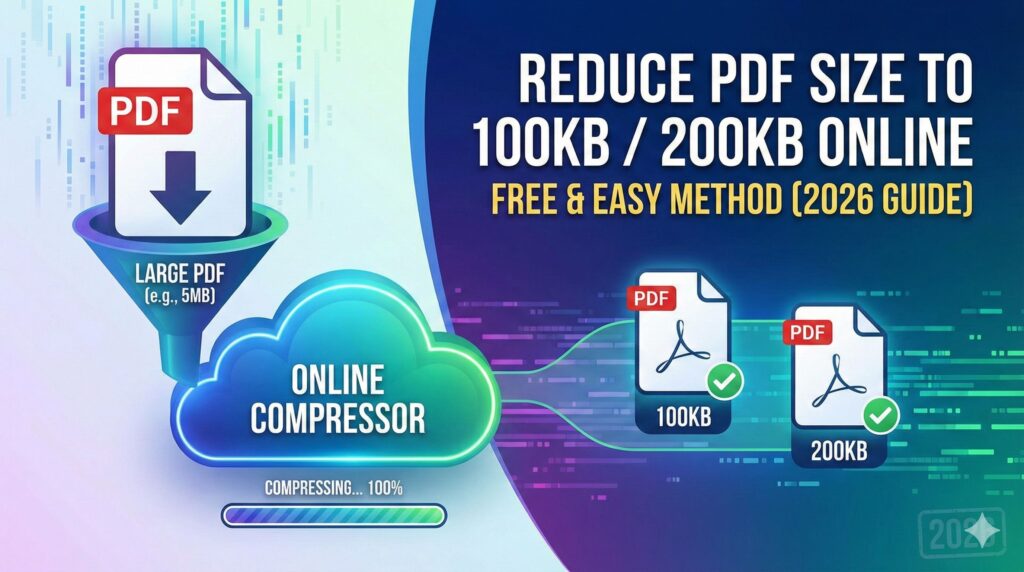
Large PDF files can create serious problems when uploading documents to government portals, job application websites, university admission forms, or email attachments. Many platforms strictly require documents under 100KB or 200KB, and even a slightly larger file gets rejected.
If you are struggling to reduce PDF size to 100KB or 200KB without losing quality, this guide will help you step by step.
In this article, you’ll learn why PDF files become large, how compression works, and the safest way to reduce file size online without damaging document clarity.
Why Do Websites Ask for 100KB or 200KB PDF Files?
Many official portals have strict file size limits due to:
- Server storage limitations
- Faster document uploads
- Reduced bandwidth usage
- Standardized application formats
- Faster processing and verification
Government job forms, competitive exam registrations, scholarship applications, and ID uploads often require:
- Passport photo under 50KB
- Signature under 20KB
- Document PDF under 100KB or 200KB
That’s why learning how to reduce PDF size to 100KB properly is important.
Why Is Your PDF File So Large?
Before compression, it’s important to understand what increases PDF size:
- High resolution images inside PDF
- Scanned documents (300–600 DPI)
- Embedded fonts
- Unnecessary metadata
- Color images instead of grayscale
- Multiple pages
If your PDF contains scanned images, the size automatically increases. But don’t worry — it can be optimized.
Best Way to Reduce PDF Size to 100KB / 200KB
The easiest and safest way is using an online PDF compression tool.
Step-by-Step Process:
Step 1: Upload Your PDF
Select your file from device.
Step 2: Choose Target Size
Select 100KB or 200KB option (if tool provides custom size option).
Step 3: Start Compression
The tool will automatically optimize images and remove unnecessary data.
Step 4: Download Compressed PDF
Save the smaller file instantly.
That’s it. No software installation needed.
How PDF Compression Actually Works
When you reduce PDF size to 200KB or 100KB, the tool:
- Lowers image resolution slightly
- Converts color images to optimized format
- Removes unused fonts
- Deletes hidden metadata
- Applies compression algorithms
A good compression tool maintains readability while reducing file size.
Is It Possible to Reduce Any PDF to 100KB?
This depends on:
- Number of pages
- Quality of scanned images
- Original file size
For example:
- A 2MB PDF can usually be reduced to 200KB easily.
- Reducing a 10MB scanned document to 100KB may reduce quality significantly.
So always balance between file size and readability.
Tips to Reduce PDF Size Without Losing Quality
Here are some practical tips:
✔ Scan documents in 150–200 DPI instead of 600 DPI
✔ Use grayscale instead of color
✔ Remove unnecessary blank pages
✔ Crop unwanted margins
✔ Avoid inserting large images
✔ Save document as “optimized PDF”
If you’re preparing a document specifically for job application portals, create it properly from the beginning.
Reduce PDF Size for Government Job Applications
Most searched queries include:
- Reduce PDF size to 100KB for job application
- Compress PDF to 200KB for SSC form
- Make PDF less than 100KB for exam portal
If your document is rejected due to size, simply upload it to an online compression tool and adjust the size.
Make sure the final PDF is:
- Clear
- Readable
- Not pixelated
- Properly aligned
Unreadable documents can lead to rejection.
Benefits of Using Online PDF Compressor Tool
Here’s why online tools are better than offline software:
- No installation required
- Works on mobile and desktop
- Fast processing
- Free usage
- Secure file handling
- Instant download
For tool websites like Fast2Convert, offering size-specific compression (100KB / 200KB option) increases user trust and repeat visits.
Common Mistakes While Compressing PDF
Avoid these mistakes:
❌ Compressing multiple times repeatedly
❌ Using unknown unsafe websites
❌ Reducing quality too much
❌ Uploading already low-quality scanned documents
❌ Ignoring preview before download
Always check the compressed file before submitting anywhere.
Is It Safe to Use Online PDF Compression Tools?
If the website:
- Uses HTTPS
- Has privacy policy
- Deletes files automatically after processing
- Does not store documents
Then it is generally safe.
Never upload sensitive documents to suspicious websites.
Frequently Asked Questions (FAQs)
Can I reduce PDF size to 100KB?
Yes, many advanced tools allow target size selection. However, exact size may vary slightly depending on content.
Will compression affect text quality?
Text usually remains clear. Only images may slightly reduce in sharpness.
Can I compress PDF on mobile?
Yes. Most modern PDF compression tools work on Android and iPhone browsers.
Why is my PDF not reducing below 300KB?
It may contain high-resolution scanned images. Try converting to grayscale before compression.
Final Thoughts
Reducing file size is no longer complicated. Whether you need to reduce PDF size to 100KB for a job form or compress PDF to 200KB for online submission, modern web tools make the process quick and simple.
Instead of struggling with software settings, you can now compress documents online in seconds while keeping them readable and professional.
If your document is being rejected due to file size, try compressing it properly and always preview before final submission.